
Artificial Intelligence is everywhere, and it’s not something any of us can escape. It’s writing code, generating documentation, and changing workflows faster than we can write posts about it doing exactly that. Over the past eight months, I’ve been working with a company called Thread to take our customer communication and ticket quality to the next level using all of the abilities that AI now brings to the working day.
In most IT departments, the ticketing process looks the same: a call or email comes in, and whoever picks it up records whatever information they think is relevant. The ticket is then passed to a technician, who has to begin troubleshooting—usually by gathering all the missing details that weren’t captured upfront.
This information gap is predictable and costly. Critical details like machine names, affected software, number of impacted users, or the exact error conditions often get missed. Sometimes the person answering the phone doesn’t know which questions to ask; sometimes they’re already juggling other tasks and don’t have the time to dig deeper. The result: technicians spend more time chasing information than fixing the problem, customers wait longer, and everyone gets frustrated.
This scenario plays out in nearly every IT department. A two‑minute follow-up call for missing details doesn’t sound like much, but multiplied across hundreds or thousands of tickets, it becomes a huge drain on time and consistency.
We began to use Rewst to generate summaries of ticket requests so we can see gaps in information missing, this was used by sending all ticket data to a private instance of OpenAI, with the instructions to categorize, prioritize and summarise. The output was the ticket was partially automated, with some of the details chosen by the OpenAI very successfully. Unfortunately, the AI could only work with the information that it was given and if the client was lacking with the information in the ticket – the AI wasn’t much help and as a result, became there for the sake of it unfortunately.
Rather than crafting a complete concept from the ground up, to automate our ticket needs – we got going with Thread AI and what they had was going to rock the boat with both customers and technicians – everyone seems to fear change!

The objective was simple: create a seamless, client‑friendly process that automatically gathers all the information a technician needs, enabling faster and more effective responses to tickets.
Thread AI integrated into our PSA through a straightforward API connection — a setup that took about ten minutes, despite management wanting to approach it slowly. Once connected, we were ready to roll. Instead of relying on one large AI trying to do everything, Thread breaks the workflow into specialised “assistant AIs,” each handling a different part of the ticket lifecycle.
The Assistant AIs
1. Prioritization
We defined clear boundaries for how different scenarios should be prioritised, including custom logic (e.g., any issue affecting C‑suite users directly or noted in their email signature is automatically raised to P2).
2. Categorization
Although categorisation had already been handled by Rewst, consolidating it within Thread ensured consistency and reduced process fragmentation.
3. Title Generation
Creates a clear, concise summary of the issue, saving time and making tickets easier to skim.
4. Recap
Once all AI steps complete, a short summary is generated describing the request and any key requirements — especially helpful when a ticket contains a long forwarded chain and the request is simply “See below.”
5. Sentiment Analysis
Monitors tone and language within the ticket to determine customer emotion. If a user seems frustrated or unhappy, the AI alerts the account manager or technician so the issue can be handled more sensitively and proactively.
These assistants initially launched only for email‑raised tickets, using Thread’s Teams integration and standalone application. Within a few days, we ironed out the expected teething issues and started to see the benefits: clearer priorities, better‑structured tickets, and faster technician response thanks to the recap summaries.
The Real Game Changers: Triage & Reminder Agents
Triage Agent
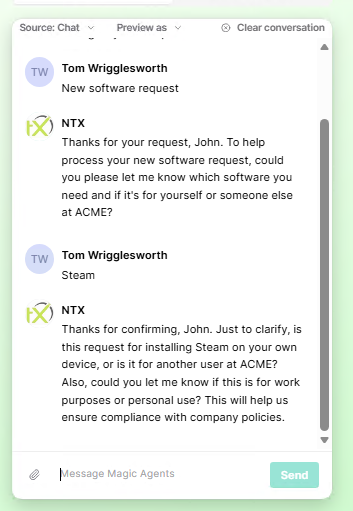
This agent communicates directly with the client, asking targeted questions and gathering detailed information before the technician even sees the ticket. This eliminates the guesswork and back‑and‑forth calls that normally slow everything down.
Reminder Agent
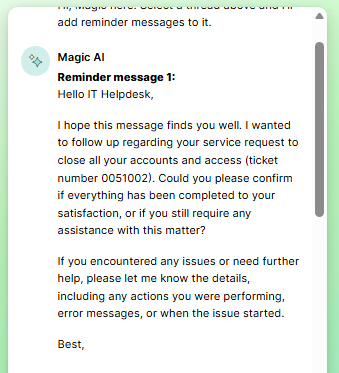
If a client goes quiet, the reminder agent automatically follows up during working hours, keeping the ticket alive and preventing it from getting stuck in limbo.
Moving Beyond Email: Teams‑Native Ticketing
After a few weeks, we fully embraced the Teams integration and began rolling it out to customers. The goal: shift away from email‑based ticketing entirely and toward a cleaner, faster Teams‑based workflow.
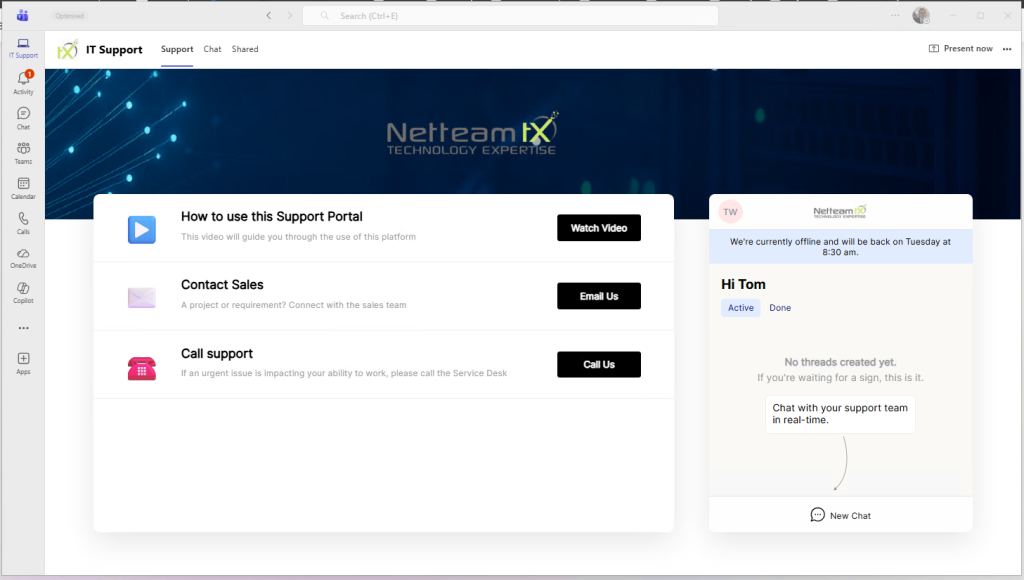
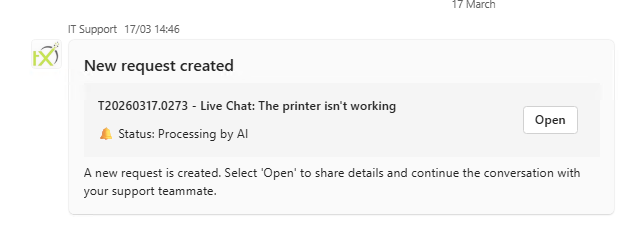
With SSO, the AI already knows who the user is. All they need to do is open a Teams chat, describe the issue, and the AI gathers everything required to create a complete, high‑quality ticket. It can even attempt to solve smaller or straightforward issues automatically, leaving technicians to focus on more complex work.
Now, the AI quietly sits alongside the user, ready to receive tickets, answer questions about existing tickets, and speed up communication — all while reducing technician workload, using Teams.
What’s Next?
Thread AI has already transformed how tickets are handled, but the next wave of improvements comes from integrating automation through Rewst. Thread can trigger workflows via webhook, which opens the door for true customer self‑service, including:
- new user creation
- user offboarding
- permission changes
- licence purchases
- simple request automations
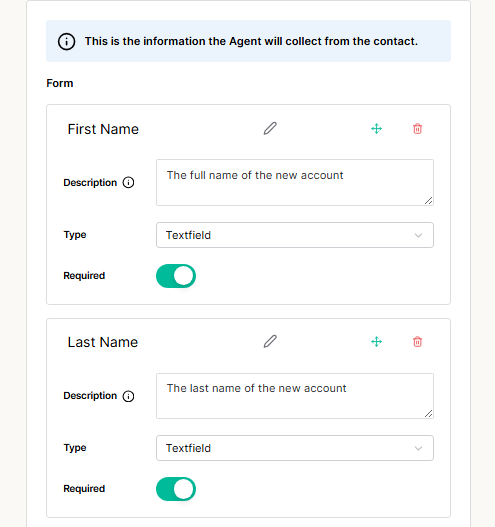
As AI triage becomes the standard and routine issues are handled automatically, technicians can spend more time on complex problem‑solving and long‑standing issues that actually move the needle.
As we continue to refine our workflows, the goal remains the same: reduce friction, improve communication, and give technicians the space to focus on the work that truly matters. Thread AI has already changed the way we manage tickets, and with automation from Rewst on the horizon, we’re only just scratching the surface of what’s possible. The future of the helpdesk isn’t just faster — it’s smarter, more consistent, and far more human than the old back‑and‑forth we’ve all grown used to.
With Thread as the brain and Rewst as the muscle, customer experience and communication is going to be easier than ever – providing the correct information and simple requests within moments of telling Thread.